Twilio Elastic SIP Integration
If you already own a phone number in Twilio and want to connect it to a Guava agent, you can do so using Twilio Elastic SIP Trunking.
Create a Guava SIP code
Every SIP integration in Guava requires a guavasip code. guavasip codes are used to route inbound calls to agents — agents can listen to them and peers can dial them.
Open the SIP page in the Guava dashboard and click Create SIP Code.
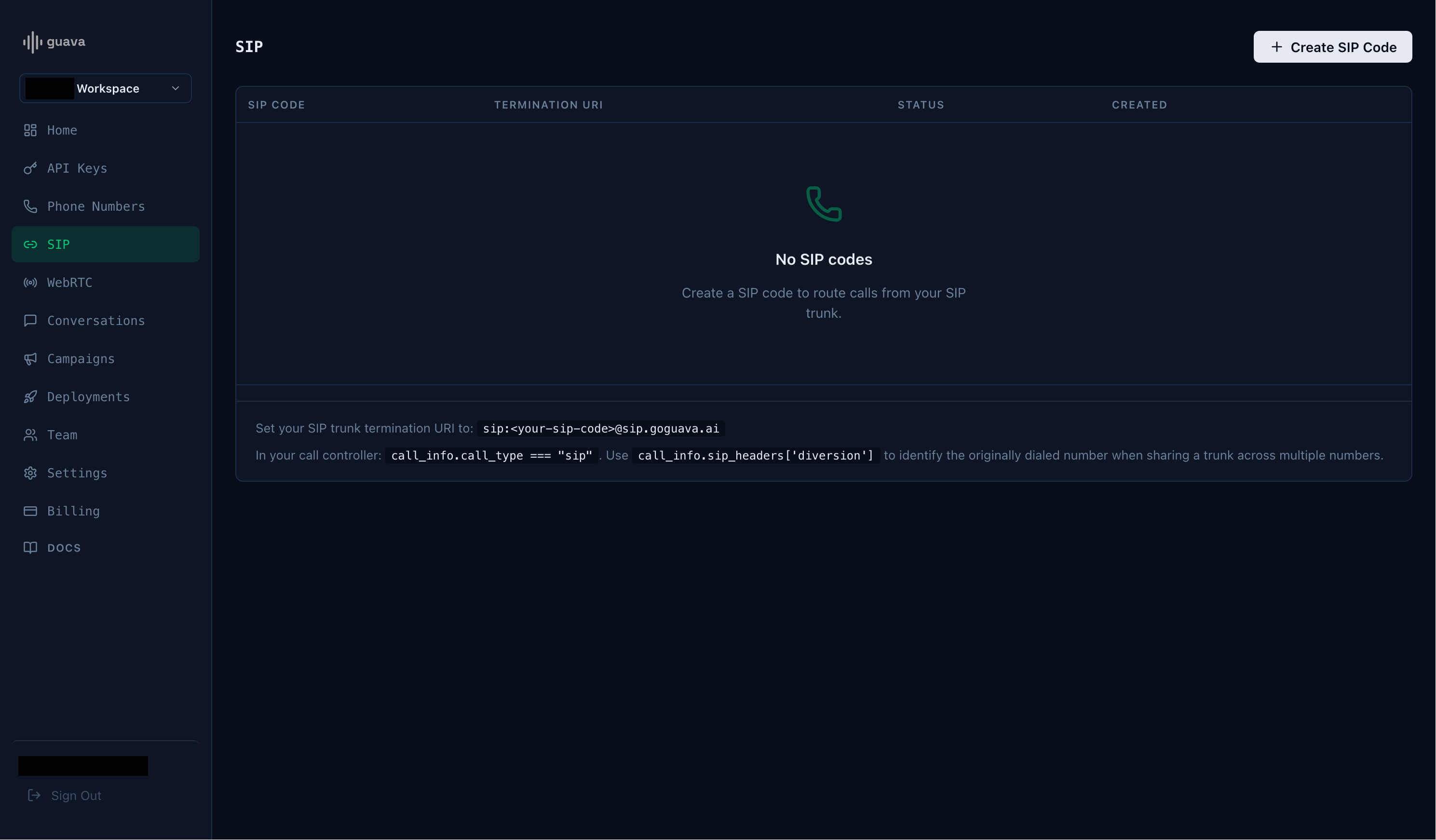
Take note of the SIP code and the termination URI.
Create a Twilio Elastic SIP trunk
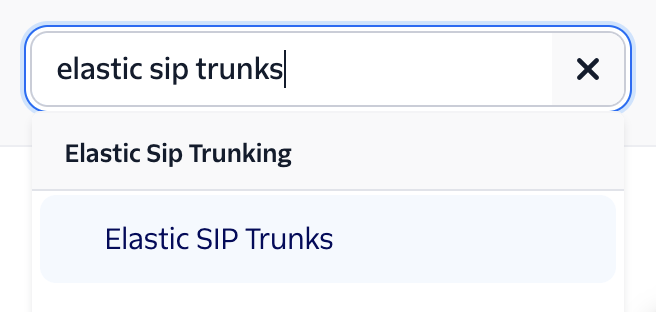
Navigate to the "Elastic SIP Trunks" page on your Twilio Console. You can find it using the search bar in the top right.
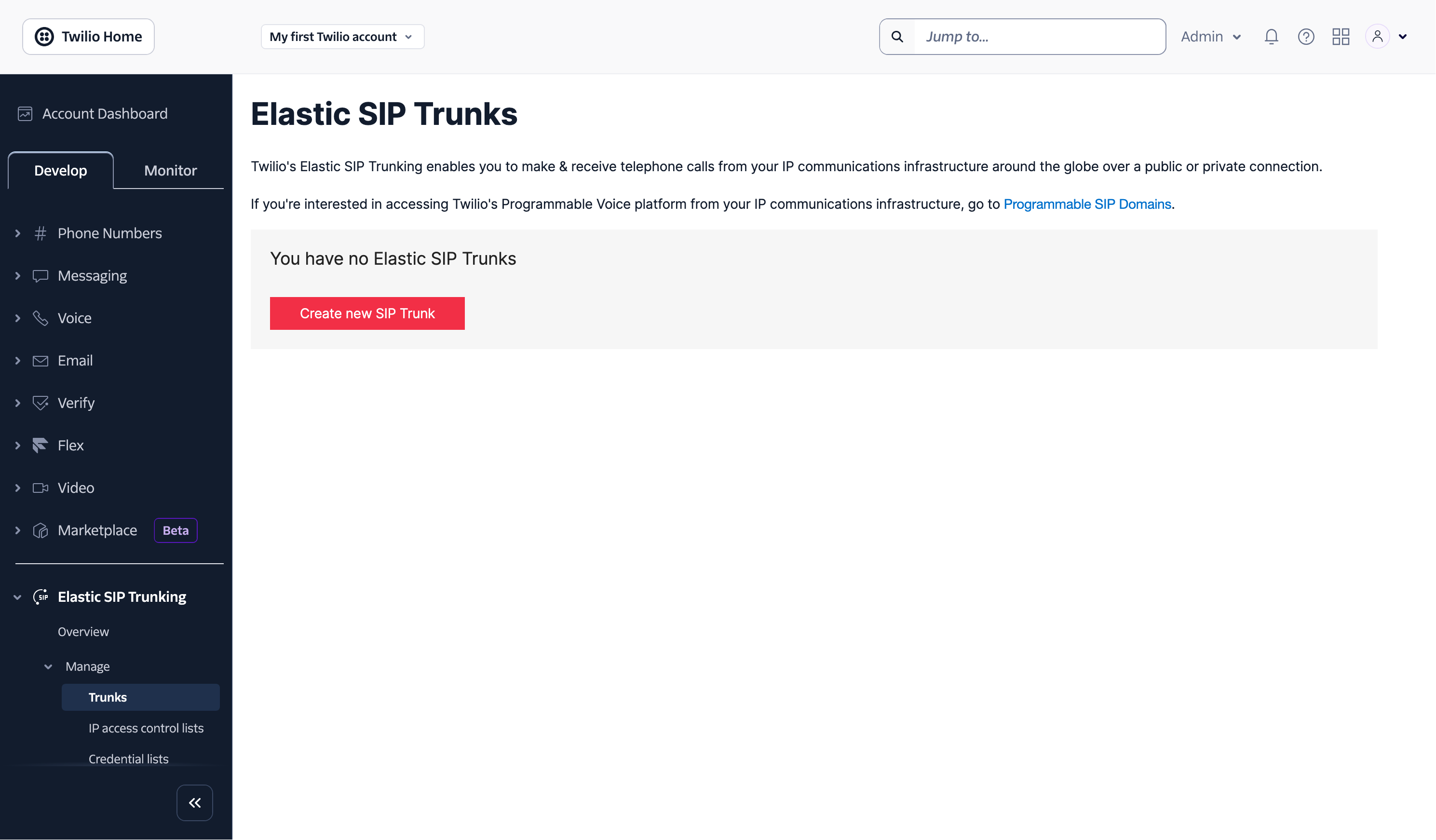
Click Create new SIP Trunk and provide the trunk with a name.
Set the Origination URI
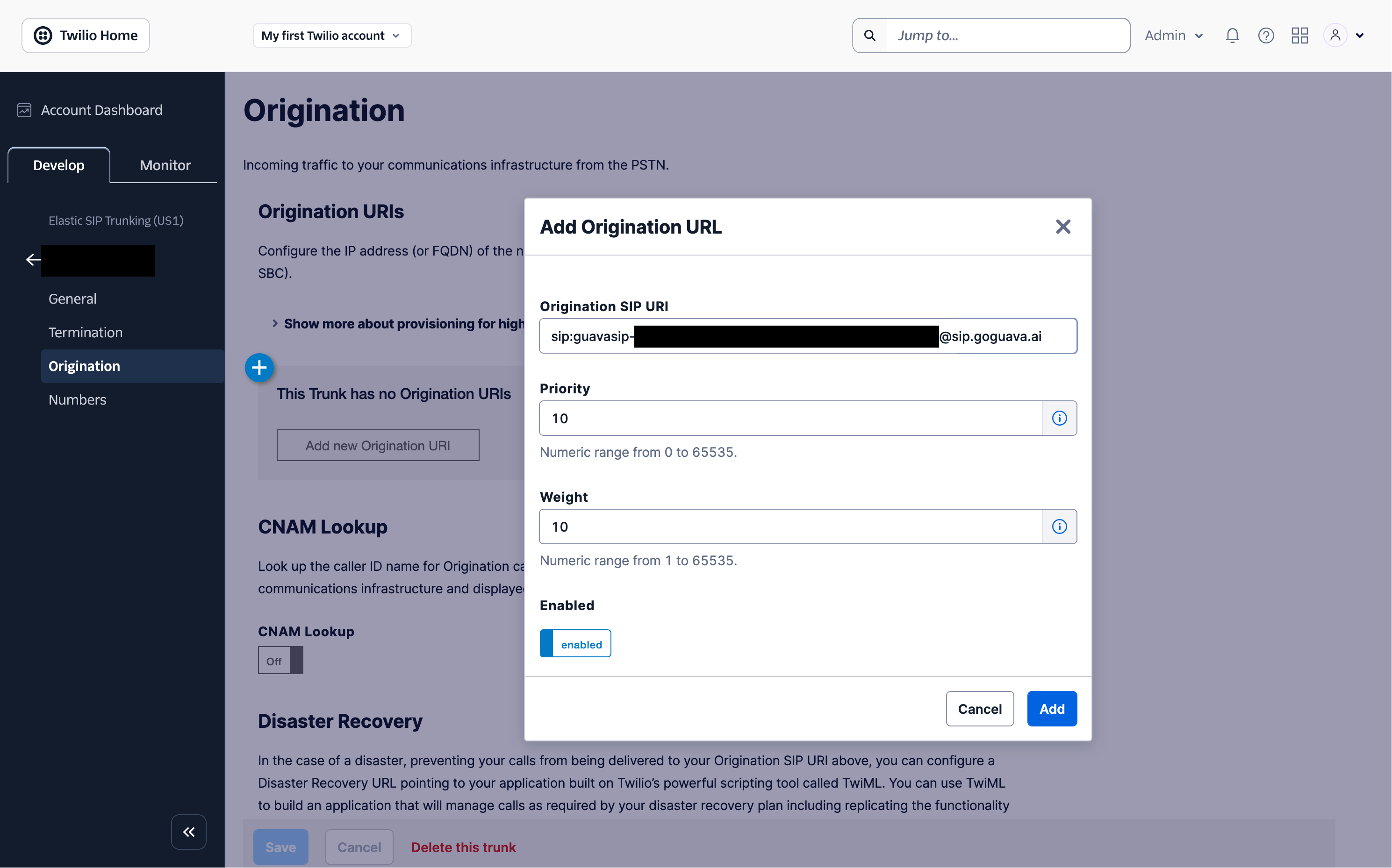
On the trunk's settings page, click Origination on the left hand side. Then click Add new Origination URI and enter your Guava termination URI (e.g. sip:guavasip-xxx@sip.goguava.ai). Then click Add.
Assign a number to the Trunk
Assuming you already have a number in your Twilio account, under the Develop tab, go to Phone Numbers > Manage > Active Numbers and select that number. Select Configure with and change that setting to SIP Trunk. Then select the SIP Trunk dropdown and select the SIP trunk you created earlier.
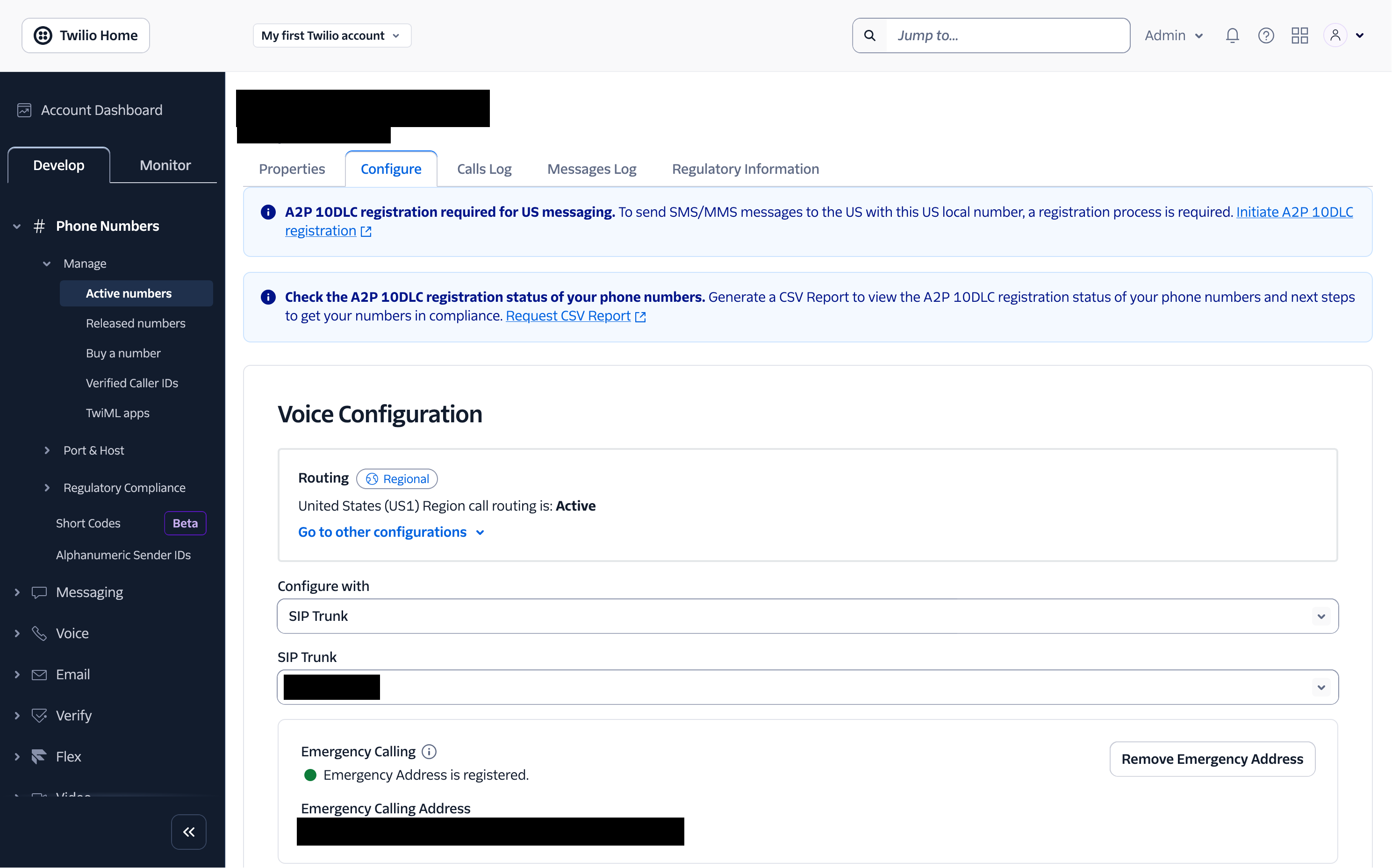
Finally, scroll down and click Save Configuration.
Start an agent
Next, start an agent using agent.listen_sip("guavasip-xxx"). This is the SIP equivalent of agent.listen_phone(...) — Guava forwards every call addressed to that code to your agent.
import os
import guava

agent = guava.Agent(
  name="Nova",
  organization="Acme Corp",
  purpose="Handle inbound calls from the corporate PBX.",
)

# Register handlers — on_call_received, on_call_start, etc.

# Replace with your SIP code from the dashboard.
agent.listen_sip("guavasip-xxx")
Call your number
Call your number and you should be able to reach your agent.
Questions? hi@goguava.ai
import os
import guava

agent = guava.Agent(
  name="Nova",
  organization="Acme Corp",
  purpose="Handle inbound calls from the corporate PBX.",
)

# Register handlers — on_call_received, on_call_start, etc.

# Replace with your SIP code from the dashboard.
agent.listen_sip("guavasip-xxx")